04-I2C communication
1. GPIO pin diagram
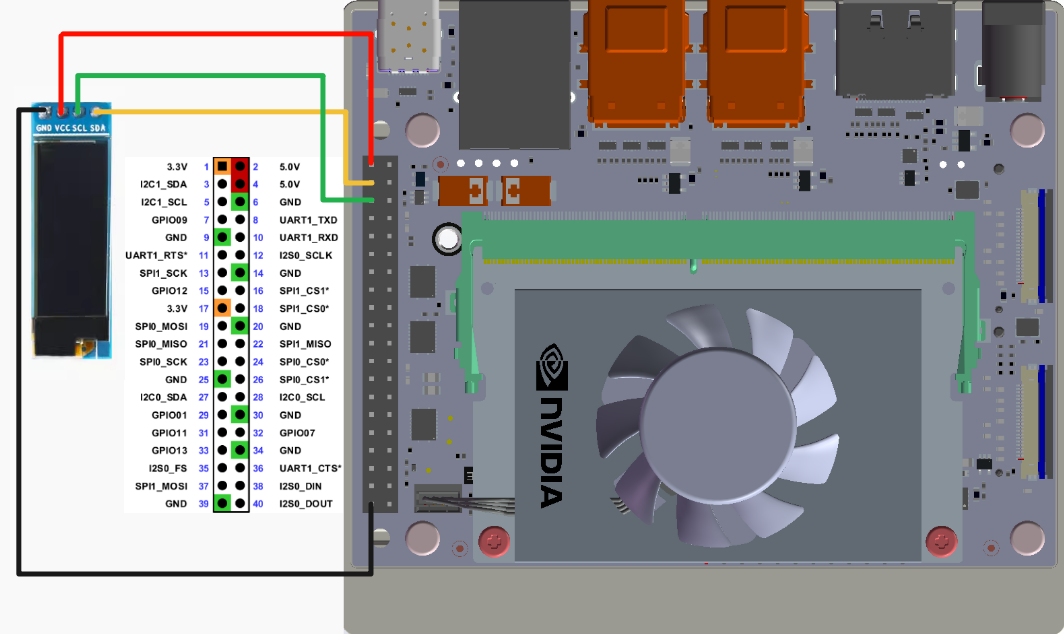
Use 0.91-inch OLED to test the I2C communication function and connect according to the following wiring:
warning
Do not connect incorrectly or cause pin short circuits. Mistakes may cause damage to the motherboard hardware!
2. I2C test
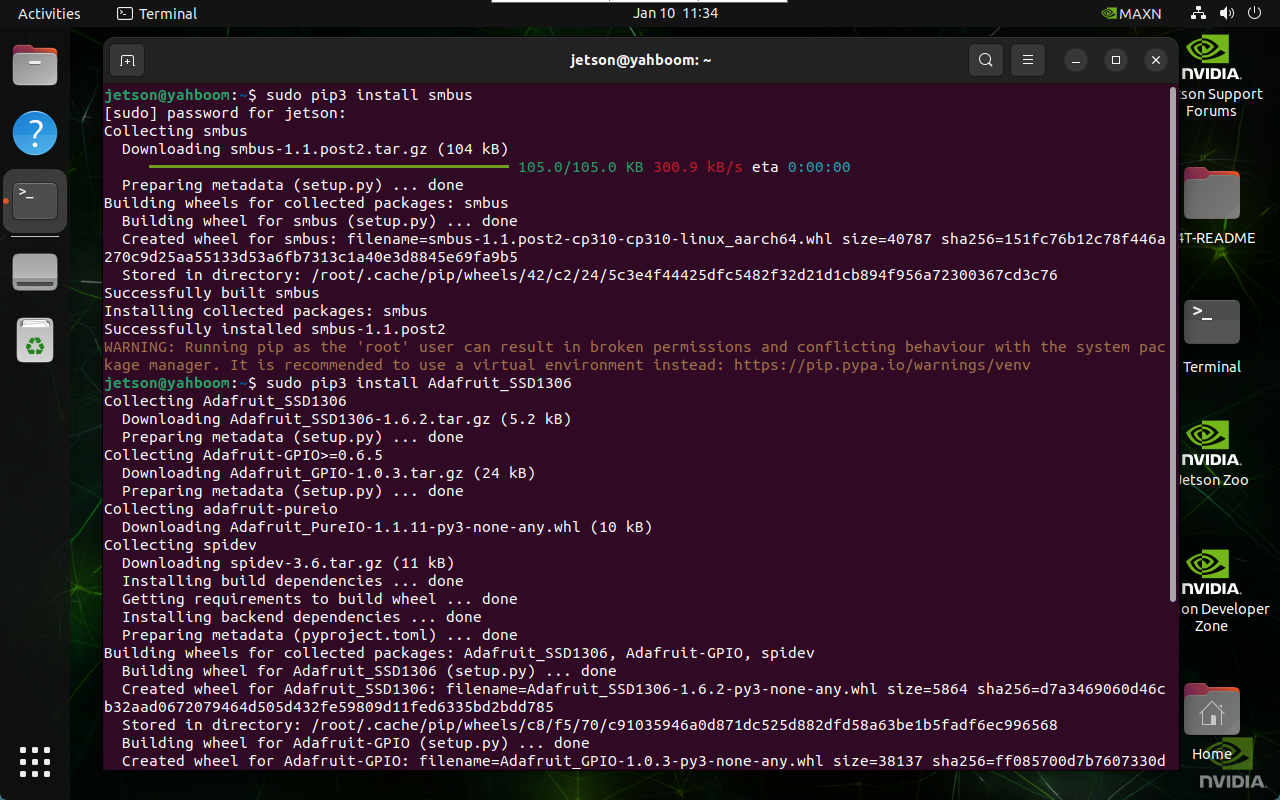
2.1. Installation dependencies
sudo pip3 install smbus
sudo pip3 install Adafruit_SSD1306
2.2. I2C device
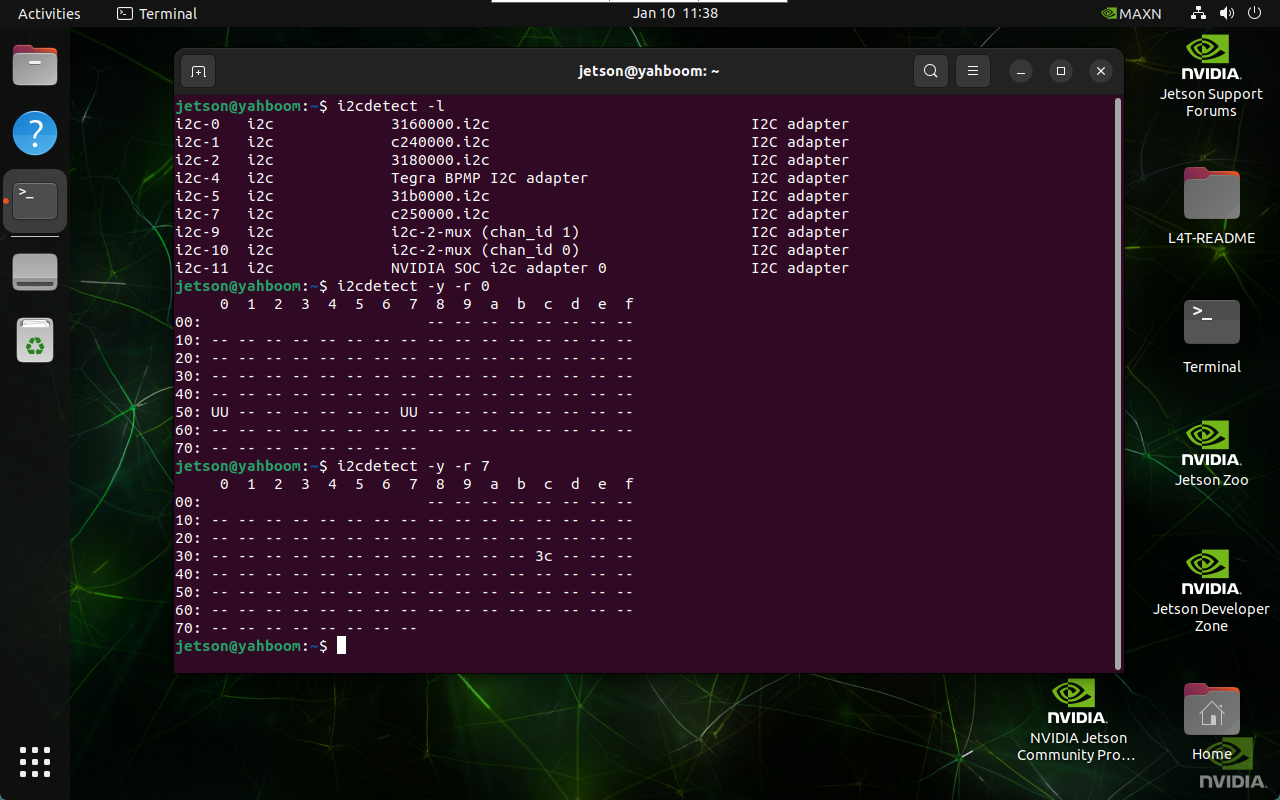
During normal development, we need to find the device bus and device address where the I2C device is mounted.
2.2.1. Query I2C bus
Enter the following command in the terminal to list all busses of the device:
i2cdetect -l
2.2.2. Query I2C device
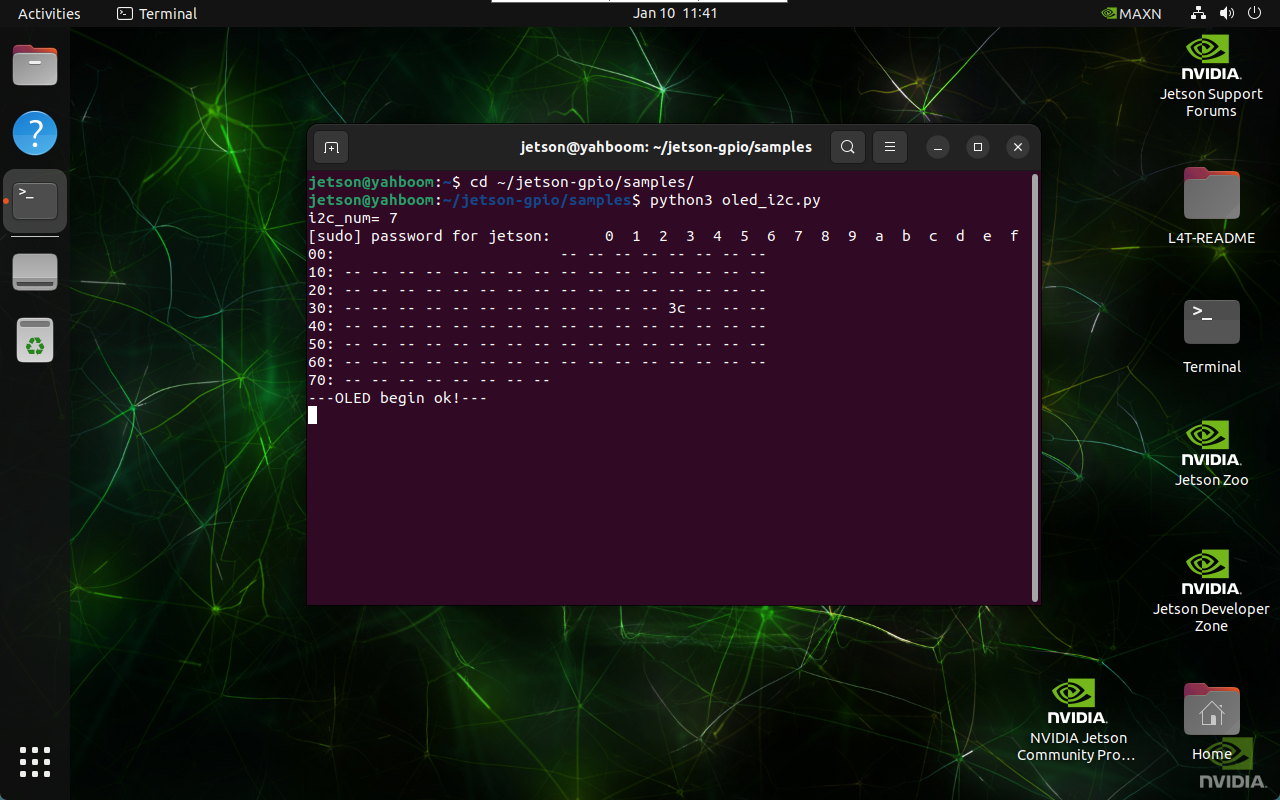
Enter the following command in the terminal to list I2C devices under the specified bus: The I2C address corresponding to oled is 0x3c
i2cdetect -y -r *
2.3. Run the program
oled_i2c.py is not included in the jetson-gpio library:
cd ~/jetson-gpio/samples/
python3 oled_i2c.py
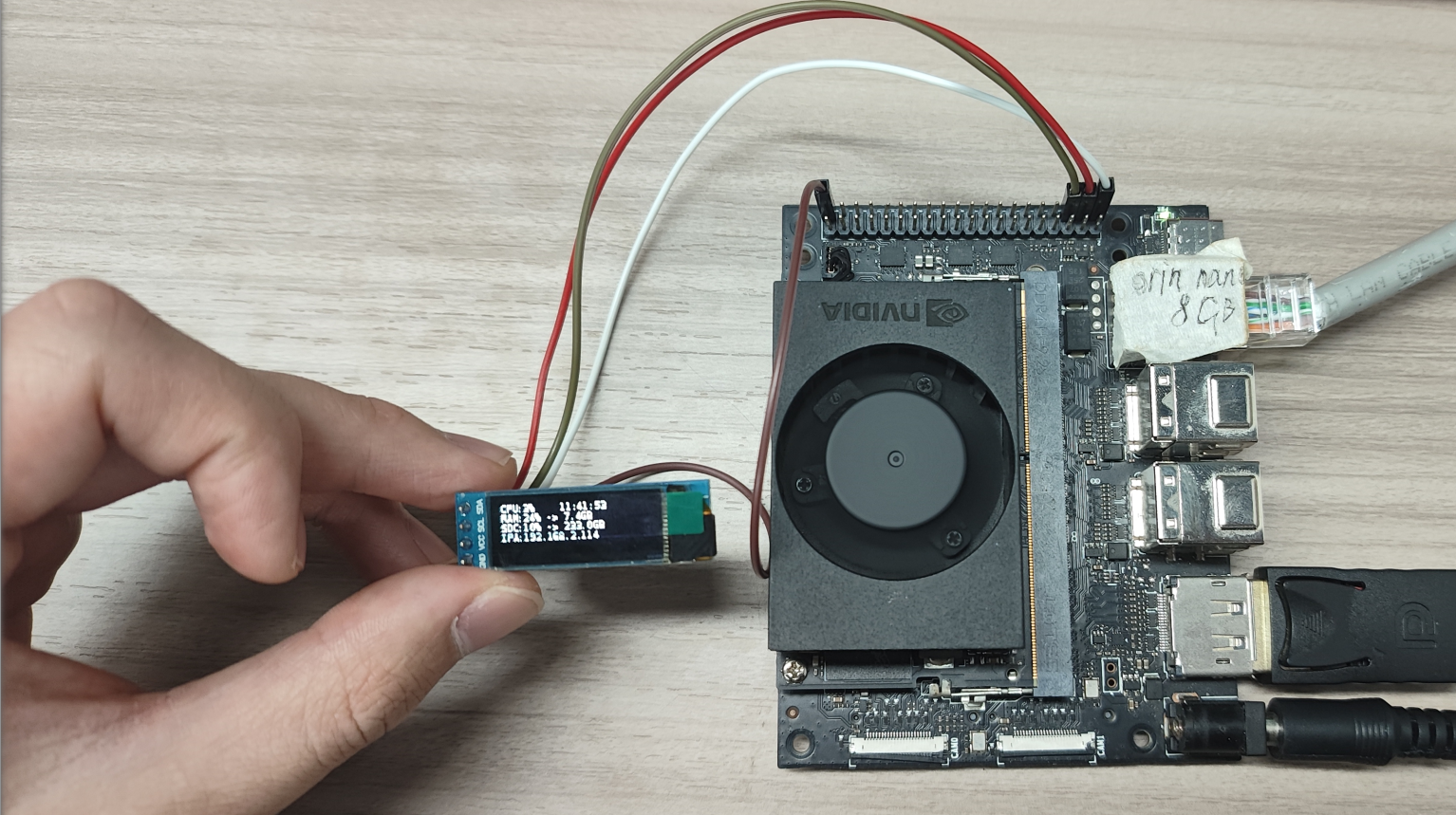
3. Experimental results
After starting the program, OLED will display system information such as system CPU usage, system time, and memory usage: